 |



|
#1
 09-18-2026, 02:20 AM
|
||||
|
||||
 How Google Photos backup works in the Samsung Gallery app
Samsung announced in May 2026 that it would end Microsoft OneDrive integration for the Samsung Gallery app on September 30. This means you will no longer be able to back up photos and videos stored on your Galaxy devices to your Microsoft OneDrive account through Samsung Gallery.
The company did not announce a replacement, but it was later revealed that OneDrive sync would be replaced by Google Photos integration. Google Photos backup support started going live for Galaxy users in mid-September, and here's a closer look at how the integration works. What do I need to use Google Photos backup in Samsung Gallery? Google Photos integration requires updated versions of the Samsung Gallery and Gallery Cloud Sync apps — versions 15.9.01.7 and 1.6.09.31, respectively. Both updates are available through the Galaxy Store. Not everyone will receive these updates at the same time. If you don't wish to wait, you can download the APK files for the two apps using the links below and install them manually by opening them using My Files or another file manager app. How to back up Samsung Gallery photos and videos to Google Photos
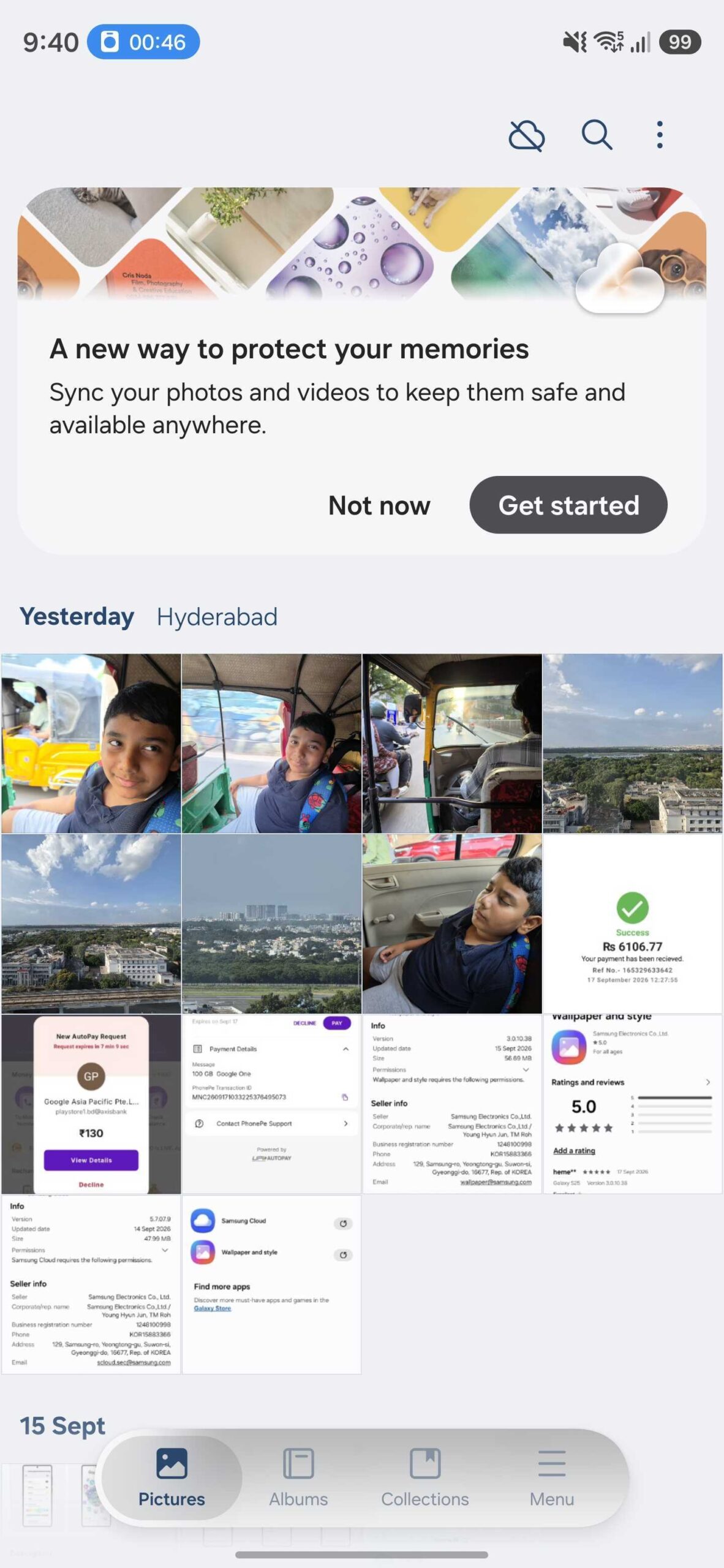 Google Photos integration banner in Samsung Gallery (One UI 9.0) | Source: Asif Iqbal Shaik / SamMobile Google Photos integration banner in Samsung Gallery (One UI 9.0) | Source: Asif Iqbal Shaik / SamMobile 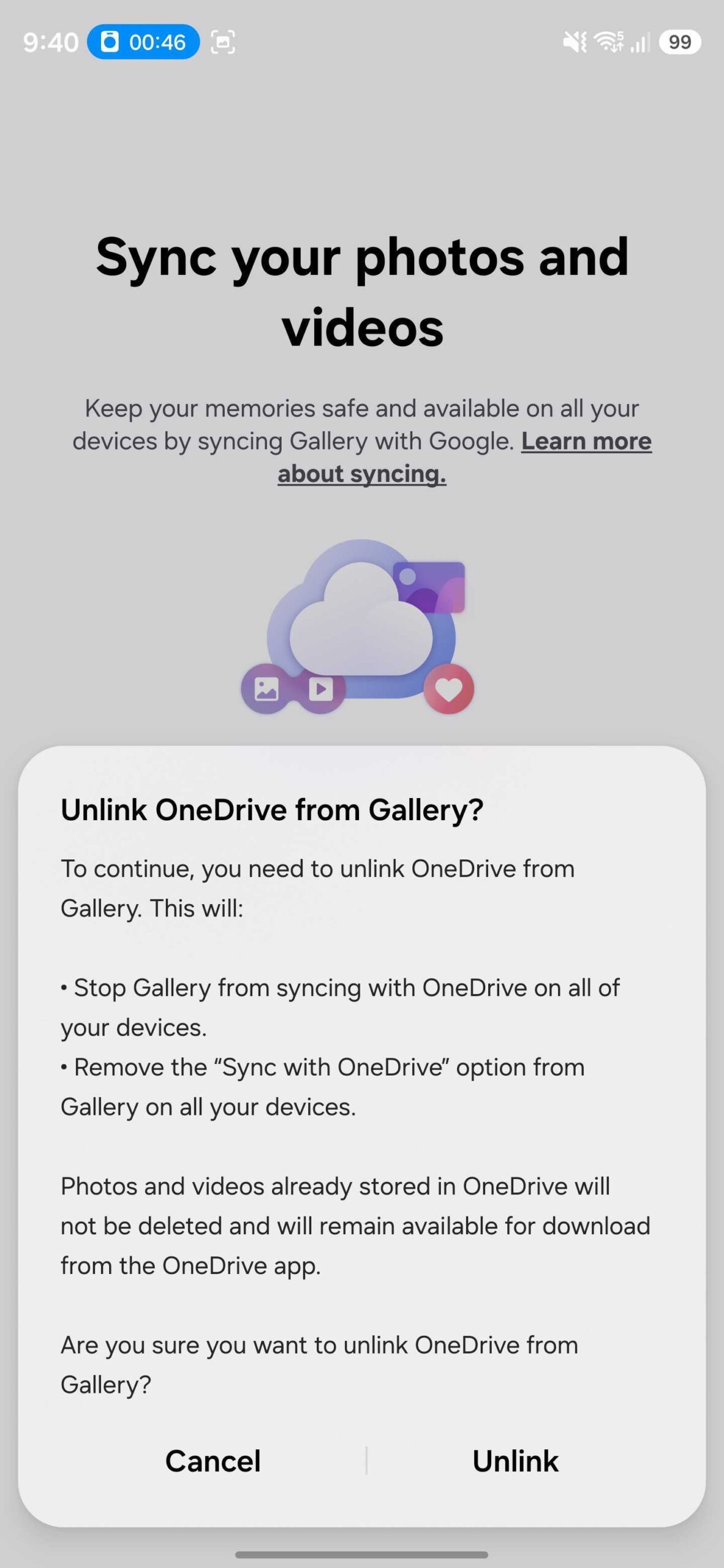 Pop-up menu asks disabling OneDrive integration with Samsung Gallery to enable Google Photos sync in One UI 9.0 | Source: Asif Iqbal Shaik / SamMobile Pop-up menu asks disabling OneDrive integration with Samsung Gallery to enable Google Photos sync in One UI 9.0 | Source: Asif Iqbal Shaik / SamMobile 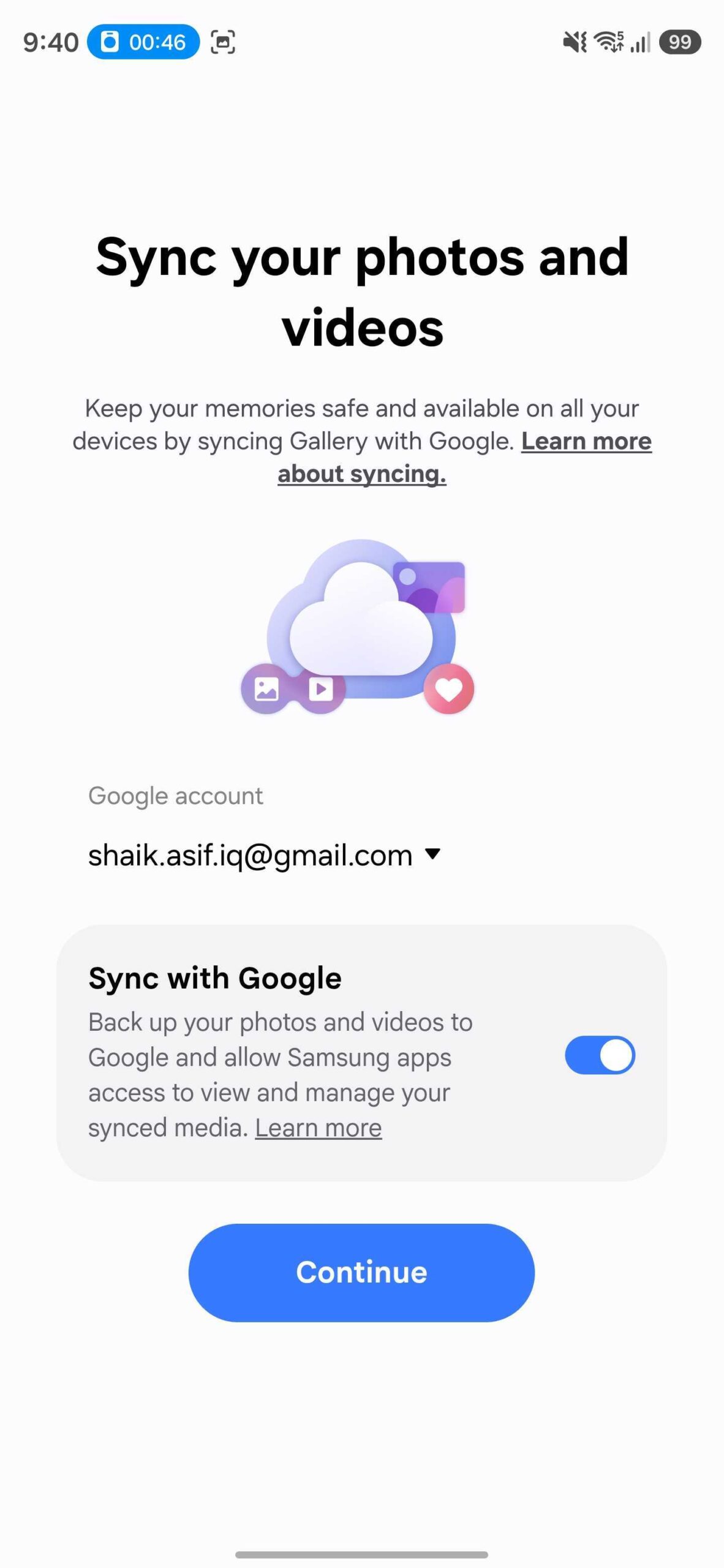 Toggle to enable or disable Google Photos integration in Samsung Gallery (One UI 9.0) | Source: Asif Iqbal Shaik / SamMobile Toggle to enable or disable Google Photos integration in Samsung Gallery (One UI 9.0) | Source: Asif Iqbal Shaik / SamMobile 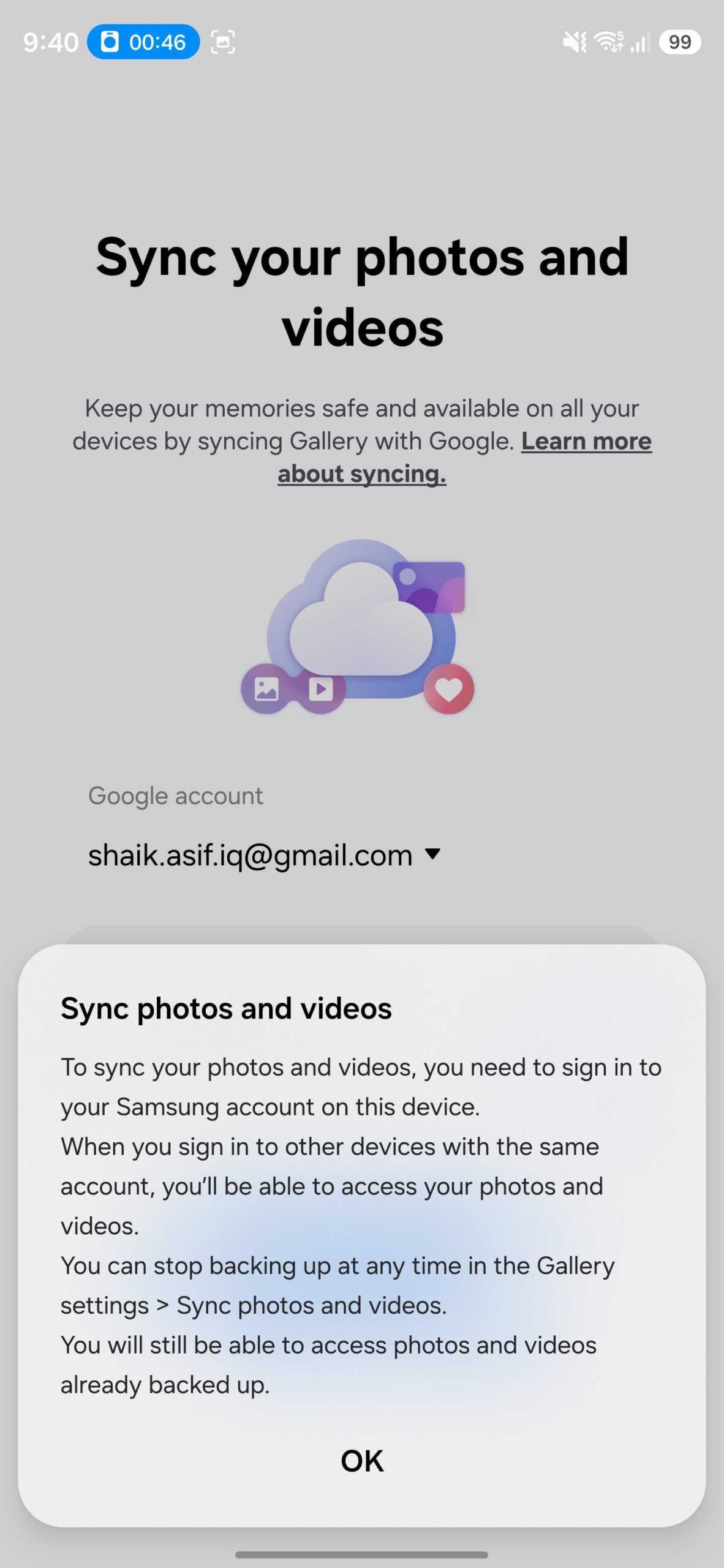 Google Photos integration notice in Samsung Gallery (One UI 9.0) | Source: Asif Iqbal Shaik / SamMobile Google Photos integration notice in Samsung Gallery (One UI 9.0) | Source: Asif Iqbal Shaik / SamMobile 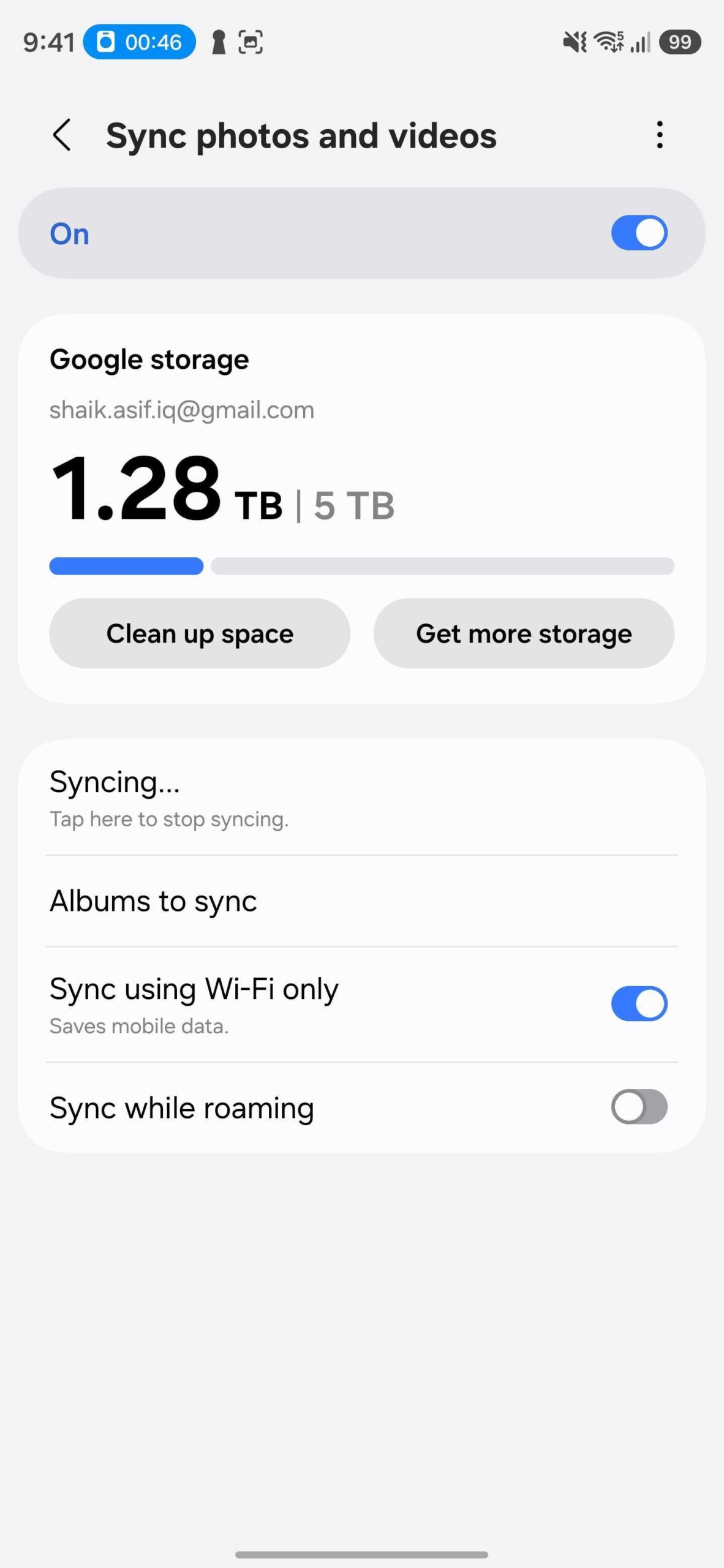 The Clean Up Space feature and Google Drive account storage usage information in Samsung Gallery | Source: Asif Iqbal Shaik / SamMobile The Clean Up Space feature and Google Drive account storage usage information in Samsung Gallery | Source: Asif Iqbal Shaik / SamMobile 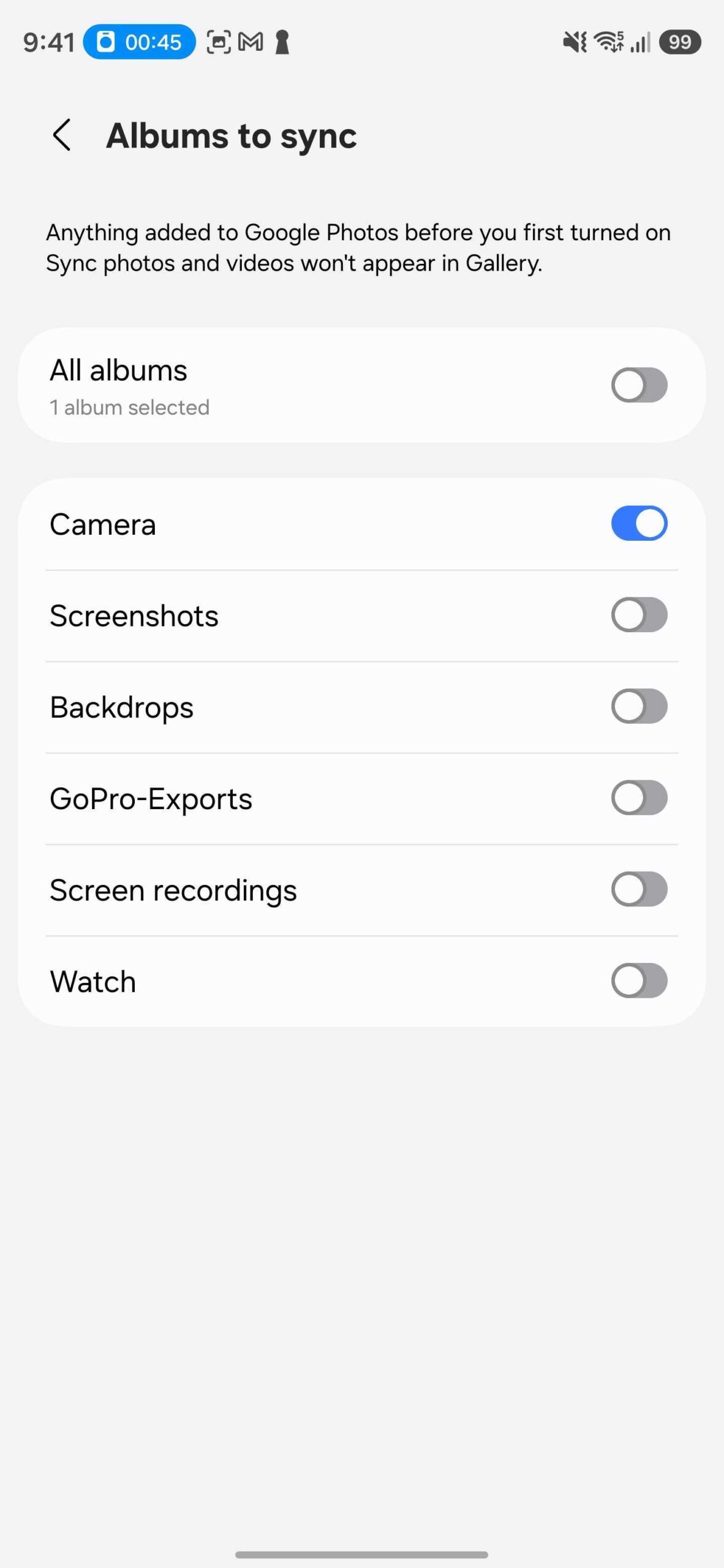 Album sync controls for Google Photos integration in Samsung Gallery (One UI 9.0) | Source: Asif Iqbal Shaik / SamMobile Album sync controls for Google Photos integration in Samsung Gallery (One UI 9.0) | Source: Asif Iqbal Shaik / SamMobile With this feature enabled, photos and videos captured on your Samsung device will periodically back up to your Google account, ensuring your memories remain safe even if your phone or tablet is damaged, lost, or stolen. Can you see your Google Photos media in Samsung Gallery? Yes, but only photos and videos backed up through the new Samsung Gallery integration will appear in Gallery. Media that was already stored in Google Photos before the integration went live will not appear. Media backed up through Samsung Gallery on one Galaxy device will also appear in Gallery on other compatible Galaxy devices using the same Google account. Synced media will appear in its respective folders. Photos and videos uploaded to Google Photos outside Samsung Gallery, including those backed up from non-Samsung devices, will not appear in the Gallery app. More... 
|





  |
«
Previous Thread
|
Next Thread
»
| Currently Active Users Viewing This Thread: 1 (0 members and 1 guests) | |
|
|

All times are GMT -4. The time now is 03:48 PM.