 |



|
#1
 11-28-2025, 12:35 AM
|
||||
|
||||
 Bought a new Samsung TV? Here are 5 things you should do right away
In 2024, Samsung was the world’s number one TV brand, just like it has been for the previous eighteen years in a row, and that’s not without a reason. The company’s televisions offer one of the best hardware, picture quality, software, and after-sales service in the market, and if you have purchased one, congratulations!
However, to get the most out of your new Samsung TV, you have to tinker with a few settings and customize it to suit your needs, and that’s exactly what we are going to discuss today. If you have bought a Samsung TV, there are the five things you need to do right away to get the best possible experience from it. 1. Update the TV to the newest firmware Samsung not only promises of seven years of operating system updates for its TVs, but also releases updates more often than most other TV brands out there. These updates fix bugs, improve performance, and sometimes, provide new features as well. Typically, there’s a considerable amount of time between the company making the TV and you buying it. Considering that, it’s highly likely that a new software has been released for it in the meantime. So, it’s a good idea to check for updates. To check if there’s an update available for your Samsung TV and to download and install it, go to Settings > All Settings > Support > Software Update > Update Now. 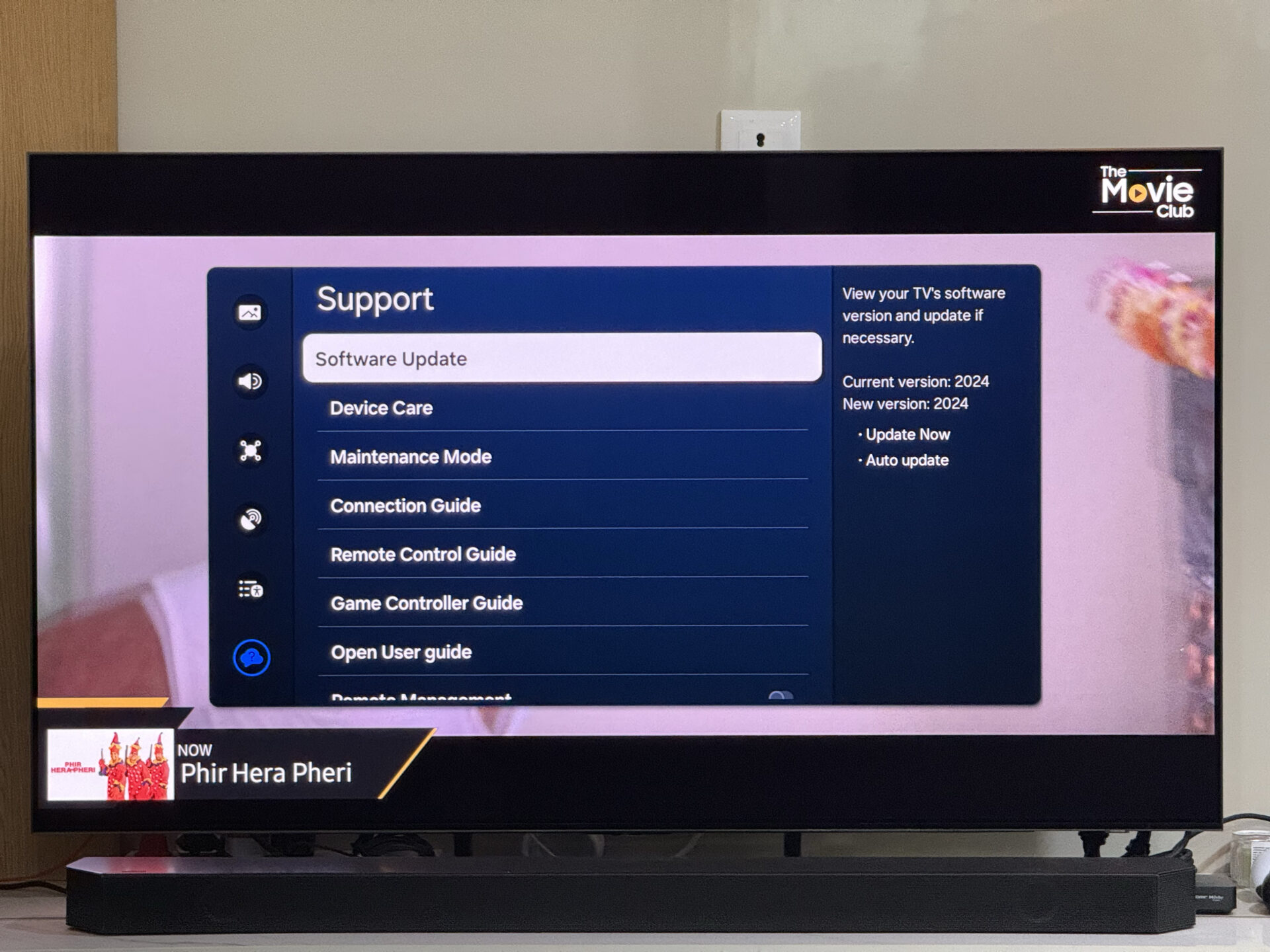 2. Switch to FilmMaker Mode Most Samsung TV models offer a plethora of picture modes, ranging from warm and dull to cool and vibrant colors to suit everyone’s needs. By default, they are set to the Dynamic mode, which boosts the colors. While it may make the display look attractive, it doesn’t necessarilty represent true colors. To get the closest possible colors that the creator has intended you to see, you should select the FILMMAKER MODE. It disables all the post-processing to display the true colors. You can select it by going to Settings > Picture Mode. 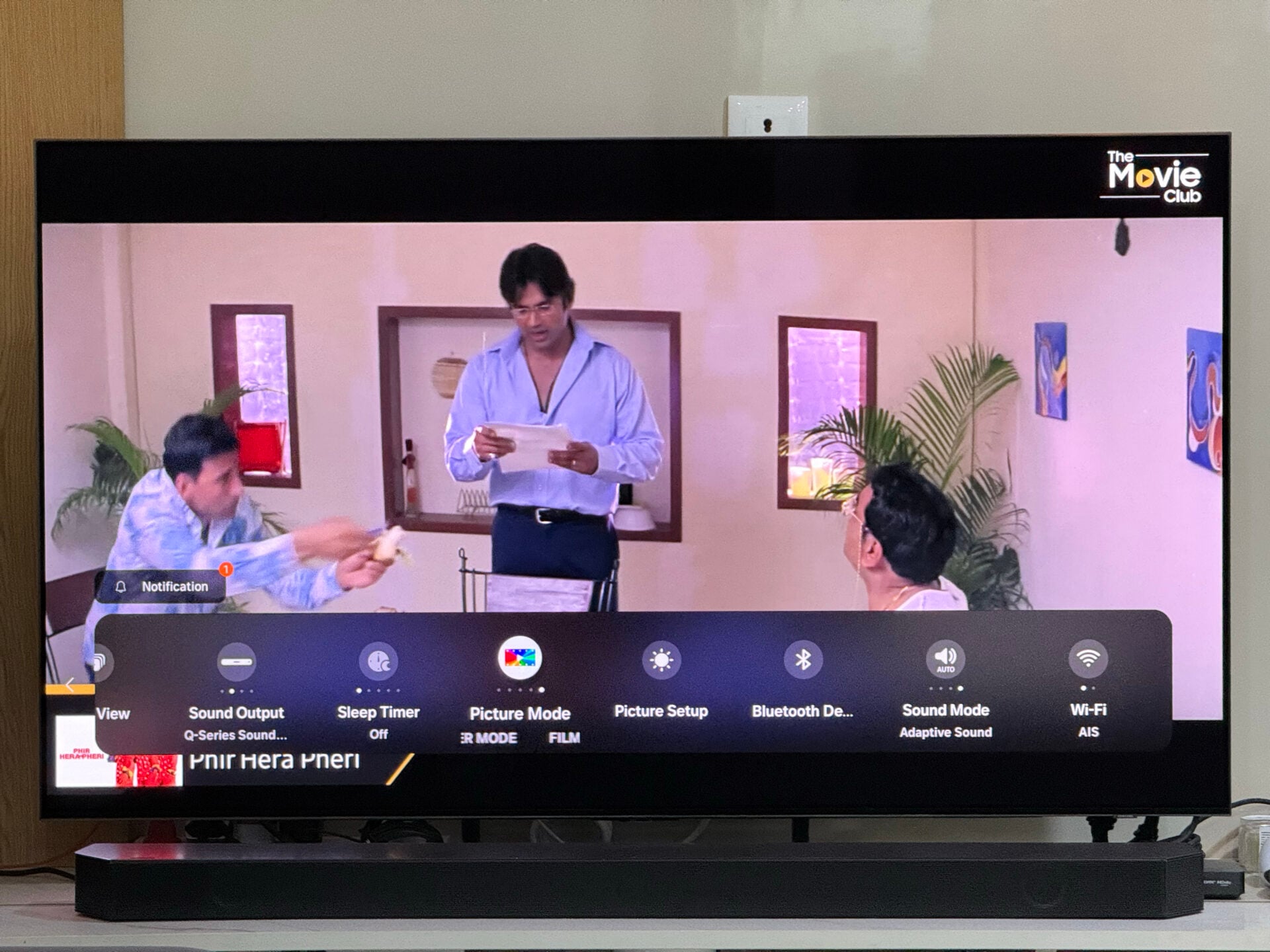 3. Get HDMI 2.1 cables and turn on Input Signal Plus for 4K 120Hz If you purchased a Samsung TV featuring 4K resolution and a 120Hz refresh rate to pair it with your Microsoft Xbox Series S/X or Sony PlayStation 5, did you know that you might not be enjoying your TV's full potential and your gaming console? These gaming consoles can push content at 4K resolution and a 120Hz refresh rate, and your TV can display it, but not out of the box. To enjoy content at this resolution and refresh rate, you need to connect the two devices with an HDMI 2.1 cable, as well as turn on Input Signal Plus on your TV. You can turn on Input Signal Plus by going to Settings > All Settings > Connection > External Device Manager > Input Signal Plus and selecting the HDMI port to which you have connected the gaming console. You will now have to restart the TV for the change to take effect. 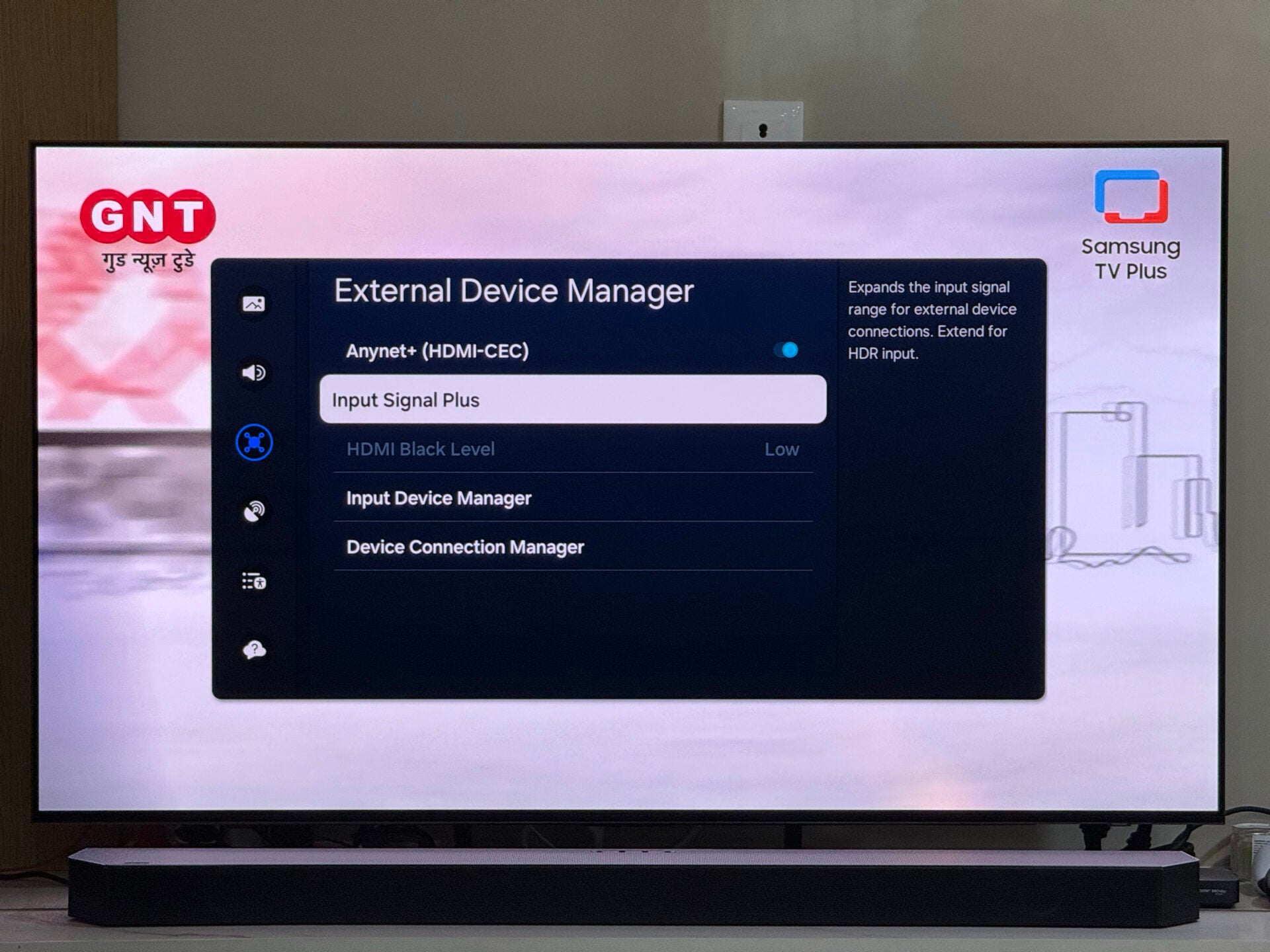 4. Download your favorite media streaming apps Samsung TVs come pre-installed with Samsung TV Plus, which offers a dozens of TV channels with amazing content at no additional cost. However, to enjoy content on demand, you will have to head to streaming platforms. To ensure that you can watch movies and TV shows, and listen to music anytime you like, you need to download media streaming apps. We have listed some of the most popular ones below.
Here is how you can search for and download apps on your TV. 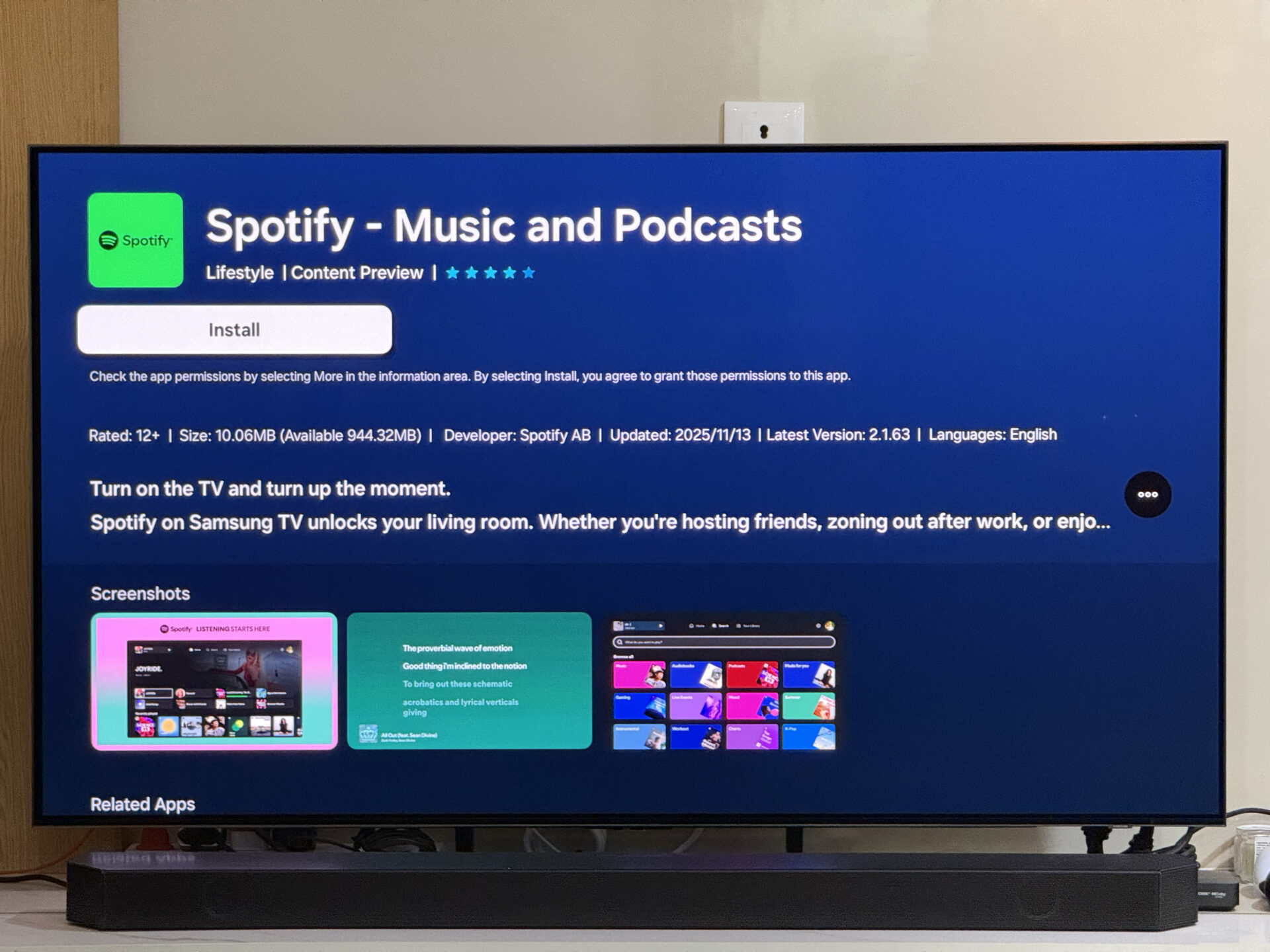 5. Add apps to the home screen and arrange them alphabetically When you turn on your Samsung TV, it shows you the For You tab. It has an Apps section, and this is where you want the TV to show your frequently used apps so that you to access them easily. However, when you download an app, it doesn’t get added to this section. You will have to do that manually. Here's how you can do it. Head to the Apps tab, scroll down to the Downloaded App section, navigate to the app you want to add, press and hold the centre button on the remote, and select Add to Home. Now, the TV will bring it to the For You section and let you place it anywhere in the carousel. Tip: Arrange the apps alphabetically to make it easier to find them. 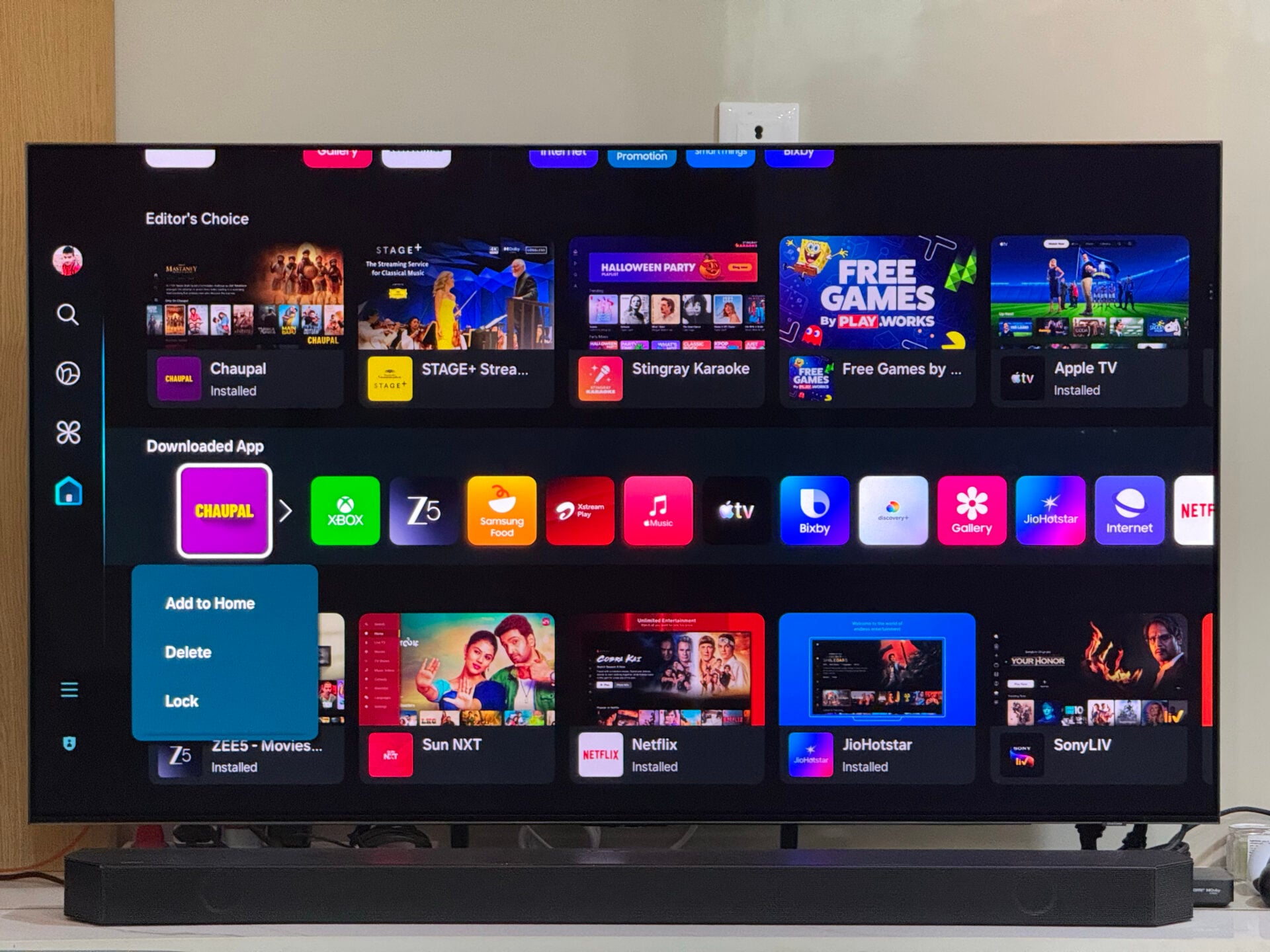 The post Bought a new Samsung TV? Here are 5 things you should do right away appeared first on SamMobile. More... 
|





  |
«
Previous Thread
|
Next Thread
»
| Currently Active Users Viewing This Thread: 1 (0 members and 1 guests) | |
|
|

All times are GMT -4. The time now is 01:40 AM.