 |



|
#1
 12-05-2024, 10:04 PM
|
||||
|
||||
 Breaking: Samsung begins rolling out Android 15-based One UI 7 beta for Gal
After several delays, Samsung’s One UI 7 beta is finally upon us. It is one of the biggest updates One UI has ever received, overhauling much of the experience and rebasing Samsung’s UX skin on the Android 15 platform update. As is always the case with One UI betas, it’s available in a few countries and should expand to other regions in Europe and the rest of the world in the next few weeks. One UI 7 beta is rolling out for the Galaxy S24 series.*Samsung has mentioned that it will release*the stable update with the Galaxy S25 next year. The official One UI 7 release will start in Q1 of 2025 with upcoming Galaxy S series devices and will gradually roll out to other Galaxy devices.To install the beta, you will have to enroll in the beta program via the Samsung Members app. Open the Samsung Members app and tap on the One UI 7 banner at the top of the screen. Once enrolled, the update will be available as an over-the-air (OTA) update within a few minutes. Unlike previous One UI betas, which are usually restricted to South Korea and the US for the first few weeks, this beta appears to be available in Germany, India, Korea, Poland, the U.K. and the U.S. The update is 4.7GB and comes with the December 2024 security patch. You should back up your data before installing it. Although joining the beta won’t wipe your device, leaving the beta will, and backups made in One UI 7 won’t be available to restore on One UI 6. Remember, a beta will always have bugs, and One UI 7 has already been delayed multiple times, so this beta could be worse than usual. We do not recommend installing the beta on your primary smartphone. What’s new in One UI 7? Official announcement 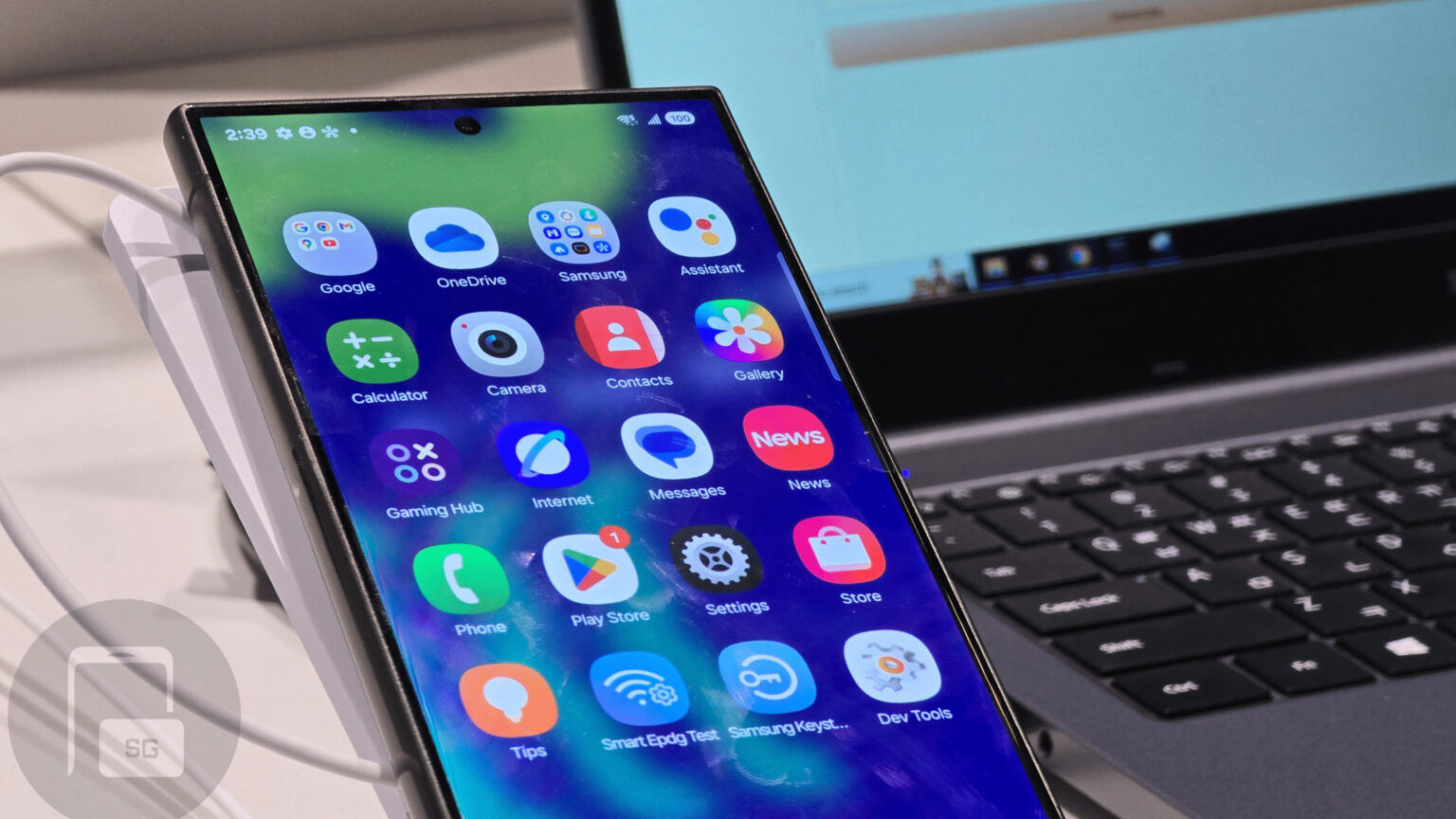 Credit: SammyGuru The official information from Samsung is pretty light on details. The changelog provided by Samsung reads:
Premature reveal from Samsung and previous One UI 7 leaks Samsung’s Spanish website had previously revealed several One UI 7 features ahead of the changelog. However, the webpage has since then been pulled down, indicating that it went live prematurely. Nonetheless, it provides us with important information straight from Samsung. As Samsung discloses, One UI 7 will strongly focus on Galaxy AI, with “AI powering every step†and a “sophisticated new look.†Samsung’s website shows off the new icons, the smart notification center, and the new lock screen with a quick view of ongoing activities in this official video: https://www.androidauthority.com/wp-...I-7-design.mp4 Leaker Chun Bhai previously suggested that Samsung has made its own version of Apple’s Dynamic Island that will be included in One UI 7. The tipster also claims that Samsung has copied Apple’s Live Activities feature. We can see some of that in the video above. Samsung is also highlighting that you can use AI to transform a sketch into an incredible image. The Sketch to Image feature is already available on recent Galaxy devices, but One UI 7 will bring more options like 3D Cartoon, Sketch, and Watercolor. Check it out in the official video below: https://www.androidauthority.com/wp-...h-to-Image.mp4 The fine print mentions that Sketch to Image requires a network connection and a Samsung Account login. Editing an image will result in a resized image of up to 12MP, and a visible watermark will be added to it to indicate that it has been generated with AI. With One UI 7’s Portrait Studio feature, you can use AI to turn your portraits into artistic profile photos with themes like Comic, 3D Cartoon, and Sketch. Portrait Studio also requires a network connection and a Samsung Account login and results in a 9MP image with a visible watermark for AI. https://www.androidauthority.com/wp-...ait-Studio.mp4 One UI 7’s Live Effects feature allows you to add depth to your photos and give them perspective. https://www.androidauthority.com/wp-...ve_effect.webm Samsung appears to be adding some child safety features to what appears to be the Galaxy Store in One UI 7. When purchasing apps, children’s accounts will need permission from guardian accounts. 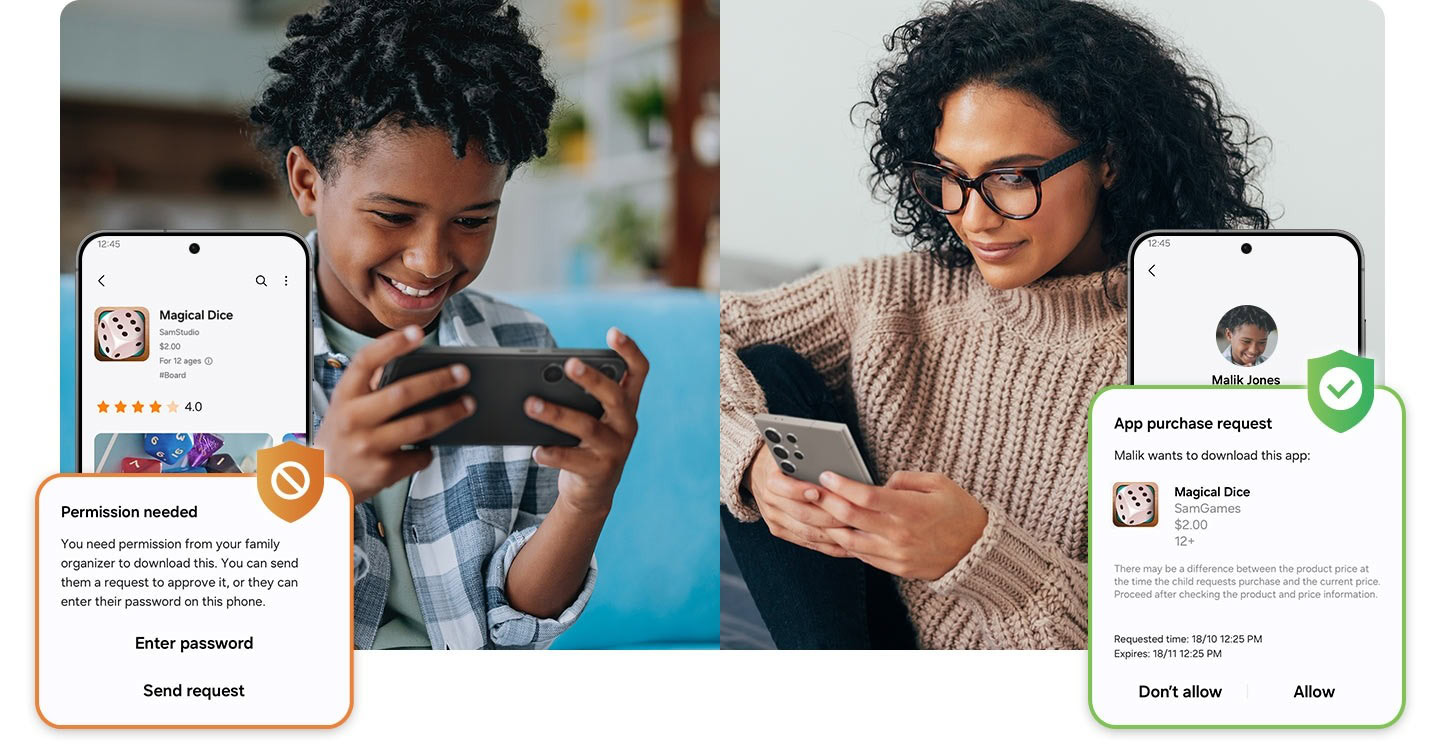 Credit: Samsung Going back to further leaks, we also saw an early build of One UI 7 in person, and while some of the details may have changed since then, what we saw still indicates what to expect. To start with, the app and status icons have been overhauled. The battery indicator is now a small pill with the percentage in the middle, and the app icons are more colorful and vibrant. Animations, particularly the ones for opening and closing apps, have been overhauled from the ground up and should look and feel significantly smoother. The most controversial change in the leaks so far has been the redesigned notifications and quick settings panels. Instead of being a unified panel as they are now, they’ve been separated into separate pulldowns, just like iOS. Pulling down from the left side of the screen opens notifications, while the right opens quick settings. This will reportedly be optional, but that remains to be seen. Both the notification shade and quick settings panel have also been redesigned. The quick settings look good, and the various elements are better organized, allowing users to rearrange them. The same can’t be said for the notification shade, which has far too much empty space. Given the negative feedback on social media, it remains to be seen which of the changes seen in leaks will be available in the first beta or even make it into One UI 7 at all. Are you going to install the One UI 7 beta? What new changes did you spot, and how do you feel about them? Let us know in the comments. More... 
|





  |
«
Previous Thread
|
Next Thread
»
| Currently Active Users Viewing This Thread: 1 (0 members and 1 guests) | |
|
|

 Similar Threads
|
||||
| Thread | Thread Starter | Forum | Replies | Last Post |
| [NEWS] Nothing begins rollout of stable Nothing OS 3.0 based on Android 15 | phillynews215 | Just About Digital Community | 0 | 12-18-2024 08:30 AM |
| [NEWS] Second Galaxy S24 One UI 7 beta update rolling out in phase one countries | phillynews215 | Just About Digital Community | 0 | 12-16-2024 06:38 AM |
| Breaking: One UI 7 beta 2 starts rolling out in select markets | phillynews215 | Digital Scoop | 0 | 12-16-2024 06:38 AM |
| The best Black Friday smartwatch deals: Google Pixel Watch 3 vs Samsung Gal | phillynews215 | Digital Scoop | 0 | 11-25-2024 09:01 PM |
| Breaking: Samsung starts rolling out One UI 6 Watch update to older models | phillynews215 | Digital Scoop | 0 | 11-19-2024 04:25 AM |
All times are GMT -4. The time now is 02:21 PM.