 |



 N1ghtm4r3 Rom! Details »»
|
|||||||||||||||||||||||||
Thank you for choosing The N1ghtm4r3 Rom, Build 1048
First of all, I would like to thank both D/\sh and tarblueriver for their contributions. They both gave me some great input on the designs, and Dash let me use some of his HHC Stuff, so the icons, the S2u2 clock, and the weather icons were made by him! Tar tested out the titan roms before release, and gave me some great input on what programs should be on this rom! All programs Available from my link list on rapidshare - Codehttp://rapidshare.com/users/SUKLKR password Wckedidenftw Code(Wckedidenftw stands for Wckediden for the win) Main Theme 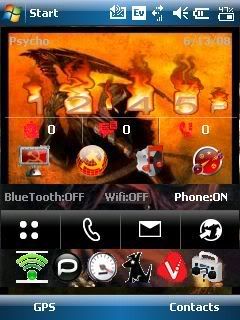 S2U2 Wallpaper Portrait  S2U2 Wallpaper Landscape  If this is the first time you have decided to put a custom rom on your phone, D/\sh has a great post that breaks down how to do it, available here: Codehttps://www.wckediden.com/showthread.php?t=153750&highlight=FLASHING+ROMS If you have a titan (HTC MOGUL) and this is the first time of which you would like to put a custom rom on your phone, you first need to update your radio, by installing the latest rom from Htc's Website. The link is : ftp://Mogulrom:sprinttitan@files164....CS_AM_Ship.exe After installing this, you need to unlock your phone using Olipro 2.40: available on this website. No matter which rom you have decided to update to: After flashing the rom, remove the battery, then reinsert it, then do a hard reset (push both of the soft keys in and hit the soft reset button) After flashing the rom, remove the battery, then reinsert it, then do a hard reset (push both of the soft keys in and hit the soft reset button) After flashing the rom, remove the battery, then reinsert it, then do a hard reset (push both of the soft keys in and hit the soft reset button) After flashing the rom, remove the battery, then reinsert it, then do a hard reset (push both of the soft keys in and hit the soft reset button) After flashing the rom, remove the battery, then reinsert it, then do a hard reset (push both of the soft keys in and hit the soft reset button) After flashing the rom, remove the battery, then reinsert it, then do a hard reset (push both of the soft keys in and hit the soft reset button) After flashing the rom, remove the battery, then reinsert it, then do a hard reset (push both of the soft keys in and hit the soft reset button) After flashing the rom, remove the battery, then reinsert it, then do a hard reset (push both of the soft keys in and hit the soft reset button) -Boot Screens- 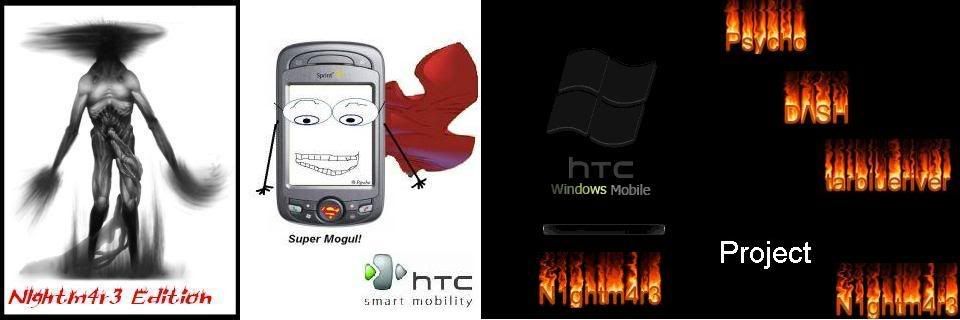 Titan - No2chem 5060 Windows Mobile 6.1 -Titan Ultimate- Cambridge Bluetooth Add-on Startup Animation Swcked Black 47 Calculator Skin Comm Manager (10-button) (TITAN & Vogue) HTC Zip Pocket RAR Additional Ringtones Additional Themes Additional Sounds AdobeReaderLE.2_00_288531 Office Excel Office Powerpoint Office Word OneNote OE Games psShutXP HTC OEM Camera 4 HTC Camera Album llium Software Screen Capture Opera Browser BL OSXRed Keyboard Skin Flash Video Bundle SprintTV (Titan) N1ghtm4r3 Configurations (HHC Clock/Tabs/Weather/Background/S2U2/Theme) Telenav Google Maps PocketCM Contacts HTC Performance Oxios Memory HTC Smartdialing B2A2DP tweaks Quick Menu HTC Home S2U2 Tweaks - Advanced Configuration - nueExtRom Configuration Tool - Titan Clean - Startup Animation 1-Calc Lite Comm Manager (10-button) (TITAN & Vogue) Office Word HTC OEM Camera 4 HTC Camera Album N1ghtm4r3 Configurations (HHC Clock/Tabs/Weather/Background/S2U2/Theme) Oxios Memory HTC Vogue Dialer HTC Home S2U2 nueExtRom Configuration Tool No matter which rom you have decided to update to: After flashing the rom, remove the battery, then reinsert it, then do a hard reset (push both of the soft keys in and hit the soft reset button) After flashing the rom, remove the battery, then reinsert it, then do a hard reset (push both of the soft keys in and hit the soft reset button) After flashing the rom, remove the battery, then reinsert it, then do a hard reset (push both of the soft keys in and hit the soft reset button) After flashing the rom, remove the battery, then reinsert it, then do a hard reset (push both of the soft keys in and hit the soft reset button) After flashing the rom, remove the battery, then reinsert it, then do a hard reset (push both of the soft keys in and hit the soft reset button) After flashing the rom, remove the battery, then reinsert it, then do a hard reset (push both of the soft keys in and hit the soft reset button) After flashing the rom, remove the battery, then reinsert it, then do a hard reset (push both of the soft keys in and hit the soft reset button) After flashing the rom, remove the battery, then reinsert it, then do a hard reset (push both of the soft keys in and hit the soft reset button) -Boot Screens-  Before you install the vogue roms, you must unlock your phone using cokeman's unlocker, available here: Vogue roms based off of No2chem's Vogue WM6.1 build 19209 - Vogue Ultimate - Cambridge Bluetooth Add-on Startup Animation Swcked Black 47 Calculator Skin Comm Manager (10-button) (TITAN & Vogue) HTC Zip Pocket RAR Additional Ringtones Additional Themes Additional Sounds AdobeReaderLE.2_00_288531 Office Excel Office Powerpoint Office Word OneNote OE Games psShutXP HTC Camera Album HTC Vogue Camera Opera Browser BL OSXRed Keyboard Skin Flash Video Bundle SprintTV (Vogue) N1ghtm4r3 Configurations (HHC Clock/Tabs/Weather/Background/S2U2/Theme) Telenav Google Maps PocketCM Contacts HTC Performance Oxios Memory HTC Smartdialing B2A2DP tweaks Quick Menu HTC Home S2U2 HTC TouchFlo w/Biotouch (Cube) Sprint Cube Skin Tweaks - Advanced Configuration - nueExtRom Configuration Tool - Vogue Clean - Startup Animation 1-Calc Lite Comm Manager (10-button) (TITAN & Vogue) Office Word HTC Camera Album HTV Vogue Camera Sptint Tv vogue N1ghtm4r3 Configurations (HHC Clock/Tabs/Weather/Background/S2U2/Theme) Oxios Memory HTC Vogue Dialer HTC Home S2U2 HTC TouchFlo w/Biotouch (Cube) Sprint Cube Skin nueExtRom Configuration Tool No matter which rom you have decided to update to: After flashing the rom, remove the battery, then reinsert it, then do a hard reset (push both of the soft keys in and hit the soft reset button) After flashing the rom, remove the battery, then reinsert it, then do a hard reset (push both of the soft keys in and hit the soft reset button) After flashing the rom, remove the battery, then reinsert it, then do a hard reset (push both of the soft keys in and hit the soft reset button) After flashing the rom, remove the battery, then reinsert it, then do a hard reset (push both of the soft keys in and hit the soft reset button) After flashing the rom, remove the battery, then reinsert it, then do a hard reset (push both of the soft keys in and hit the soft reset button) After flashing the rom, remove the battery, then reinsert it, then do a hard reset (push both of the soft keys in and hit the soft reset button) After flashing the rom, remove the battery, then reinsert it, then do a hard reset (push both of the soft keys in and hit the soft reset button) After flashing the rom, remove the battery, then reinsert it, then do a hard reset (push both of the soft keys in and hit the soft reset button) --Dialer-- tarblueriver made a special dial pad for this occation! Thanks man! 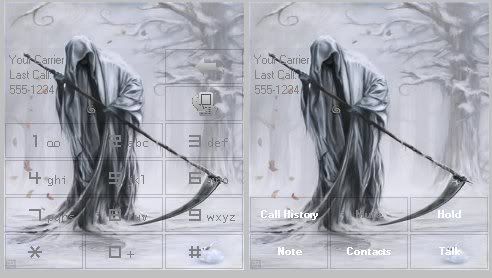 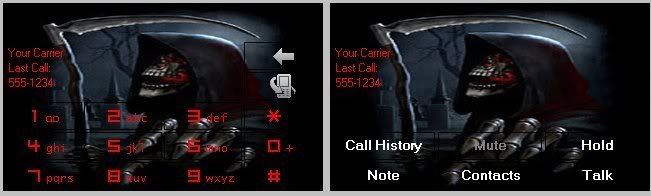 Mogul Dialer Vogue Dialer Remember to press thank you! This took a lot of time to make! build 1048 (if you add them up (1+4+8) you get 23 and 2/3 is .666 fun fact!) From the link above for the linklist, you will also find my favorite programs! Codehttp://rapidshare.com/users/SUKLKR Password Wckedidenftw Show Your Support
|
|||||||||||||||||||||||||

 About Supporter


 No support by the author.
| The Following 2 Users Say Thank You to Psycho For This Useful Post: | ||
|
antbze (11-04-2008), THE I NCREDIBLE (11-25-2008)
| ||
| Comments |
|
#52
 06-21-2008, 03:50 AM
|
||||
|
||||
 Re: N1ghtm4r3 Rom!
“ Originally Posted by thegameksk
|



|
#53
06-21-2008, 03:56 AM
|
||||
|
||||
|
Re: N1ghtm4r3 Rom!
Sorry about the double post.

|

|
#54
06-21-2008, 03:58 AM
|
||||
|
||||
Re: N1ghtm4r3 Rom!
“ Originally Posted by thegameksk
|
|
#55
06-21-2008, 04:22 AM
|
||||
|
||||
|
Re: N1ghtm4r3 Rom!
Damn that didn't work either.Thanks for all your help Dash. If anyone has any other ideas please let me know!!!!
I figured it out. I didn't have microsoft.net framework. Last edited by thegameksk; 06-21-2008 at 01:02 PM. Reason: Solution to problem
|
|
#56
06-21-2008, 02:01 PM
|
||||
|
||||
|
Re: N1ghtm4r3 Rom!
For some reason it is always the simpliest things that will keep your programs from running...
|
|
#57
06-21-2008, 02:20 PM
|
||||
|
||||
|
Re: N1ghtm4r3 Rom!
Yea, it was my fault cause I forgot that the framework wasnt included in the clean version.
|
|
#58
06-21-2008, 02:39 PM
|
||||
|
||||
|
Re: N1ghtm4r3 Rom!
:PDT_Armataz_51::smile_mini2:
     ok i just tried to remove HHCV10Final, I enabled the today plugin, then tried to reinstall... at least thats the only way I know how to disable HHCv10Final. It installs but the first run will give me an error, i pasted a screenshot above I do have the latest HHCv10Final I am running the 3.35 radio I have nothing but poutlook running in startup (not a fan of the start menu, and too many phonecalls for s2lock) Also the advanced config isnt working gives me the same error i get when i try and run HHC for the first time im trying to cover all bases but somehow im missing something cause it is working for you guys... if you have any ideas... im open oh and Psycho... i like the rom, so it pains me to tell you your having a Biff Tannen moment... the phrase is "Runs like a Raped Ape!" just thought you might want to know. :-) Last edited by deadheart; 06-21-2008 at 03:42 PM. Reason: layout of the pics
|

|
#59
06-21-2008, 03:49 PM
|
||||
|
||||
|
Re: N1ghtm4r3 Rom!
Do you have .net framework installed? Just throwing an idea out there.
|
|
#60
06-21-2008, 03:50 PM
|
||||
|
||||
|
Re: N1ghtm4r3 Rom!
How is the battery life with this rom? I have it on my new mogul phone (its a replacement) but ive yet to activate it.
|
|
#61
06-21-2008, 04:42 PM
|
||||
|
||||
Re: N1ghtm4r3 Rom!
“ Originally Posted by thegameksk
|
|
#62
06-21-2008, 04:44 PM
|
||||
|
||||
|
Re: N1ghtm4r3 Rom!
where do i get .net framework i even checked the microsoft download site cant find it
|
|
#63
06-21-2008, 05:22 PM
|
||||
|
||||
|
Re: N1ghtm4r3 Rom!
You can find it here: http://www.microsoft.com/downloads/d...displaylang=en.
Just install it to your computer then hook up your phone to your computer and follow the onscreen instructions on your phone.
|
|
#64
06-21-2008, 11:12 PM
|
||||
|
||||
|
Re: N1ghtm4r3 Rom!
I am running Vista, on my main computer at home, so i tried to install it on an xp machine, and i found that i cant install it cause im running .net framework 3.0 ... so i uninstalled it... reinstalled 2.0 using your link, but it never updated on my phone. is there a cab, or a command within .net? thanks
|
|
#65
06-21-2008, 11:49 PM
|
||||
|
||||
|
Re: N1ghtm4r3 Rom!
Hmm I dont know what the problem is. I figured due to the error message maybe you werent running .net framework which is what happened to me and a program gave me the same error message you get. I installed framework and it worked fine. Hopefully another member can help you. Sorry.
|
|
#66
06-22-2008, 02:13 AM
|
||||
|
||||
|
Re: N1ghtm4r3 Rom!
Hey guys. My battery keeps dying extremely fat because I only get 1 bar of service in my apartment. Do you know of any battery hacks I could do to maybe help with my battery? I had heard there was a hack that allows you to turn your data connection on and off. Does anyone know it? Thanks.
|
|
#67
06-22-2008, 02:35 AM
|
||||
|
||||
Re: N1ghtm4r3 Rom!
“ Originally Posted by thegameksk
|
|
#68
06-22-2008, 02:35 AM
|
||||
|
||||
Re: N1ghtm4r3 Rom!
“ Originally Posted by thegameksk
|
|
#69
06-22-2008, 02:39 AM
|
||||
|
||||
Re: N1ghtm4r3 Rom!
“ Originally Posted by D/\SH
|
|
#70
06-22-2008, 02:54 AM
|
||||
|
||||
Re: N1ghtm4r3 Rom!
“ Originally Posted by Psycho
|
|
#71
06-22-2008, 04:09 AM
|
||||
|
||||
|
Re: N1ghtm4r3 Rom!
Yea thats what I have. I only have a bar or two in my room.
|
|
#72
06-22-2008, 05:52 AM
|
||||
|
||||
Re: N1ghtm4r3 Rom!
“ Originally Posted by thegameksk
|
|
#73
06-22-2008, 07:40 AM
|
||||
|
||||
|
Re: N1ghtm4r3 Rom!
Just wanted to thank thegame and Dash... the solution definatly was .net framework... inside the activesync there is a add/remove programs, and once i hit that it installed. now it is completely configurable
|
|
#76
06-22-2008, 12:52 PM
|
||||
|
||||
Re: N1ghtm4r3 Rom!
“ Originally Posted by deadheart
|
|
#77
06-22-2008, 04:06 PM
|
||||
|
||||
|
Re: N1ghtm4r3 Rom!
downloaded net framework on computer, than hooked up to activesync and checked under add/remove and it wasnt there.....help pls!
|
|
#78
06-22-2008, 04:10 PM
|
||||
|
||||
|
Re: N1ghtm4r3 Rom!
silly question... but did you run the application on your computer first? after you do it should be in the add/remove prog, if its not, you may have the wrong app
|
|
#79
06-22-2008, 05:38 PM
|
||||
|
||||
Re: N1ghtm4r3 Rom!
“ Originally Posted by deadheart
|
|
#80
06-22-2008, 09:19 PM
|
||||
|
||||
|
Re: N1ghtm4r3 Rom!
Now im having a problem with the rom. It was working fine. I was fooling around with the throttlelauncher and I soft reset. Now the phone locks up on the Psycho, dash, etc screen. Any ideas?
|
|
#81
06-22-2008, 09:35 PM
|
||||
|
||||
Re: N1ghtm4r3 Rom!
“ Originally Posted by thegameksk
|
|
#82
06-22-2008, 09:54 PM
|
||||
|
||||
|
Re: N1ghtm4r3 Rom!
I found out what the problem is. Its weatherpanel. App it will lock up custom roms on the third boootcreen. I found out about it here http://forum.ppcgeeks.com/showthread...t=weatherpanel. There is a work around that can also be found in the thread. Maybe this should be stickied?
|
|
#83
06-22-2008, 10:06 PM
|
||||
|
||||
Re: N1ghtm4r3 Rom!
“ Originally Posted by thegameksk
|
|
#84
06-22-2008, 10:10 PM
|
||||
|
||||
|
Re: N1ghtm4r3 Rom!
I reseted my device 10 times and it still kept happening. Im pretty sure it was due to weatherpanel because it was the last thing I installed before soft reseting. Im gonna backup now and give it another try.
Edit: Tried it again and it still does the same thing. Only thing I had on the phone was the weatherpanel. Last edited by thegameksk; 06-22-2008 at 10:24 PM.
|
|
#85
06-22-2008, 10:35 PM
|
||||
|
||||
|
Re: N1ghtm4r3 Rom!
kinda weird... my phone started acting up, so i deleted weather panel, and all is well... I jinxed myself by saying that my phone was working well with it... thanks game!
|
|
#86
06-23-2008, 12:11 AM
|
||||
|
||||
|
Re: N1ghtm4r3 Rom!
The work around that PPC has works but the only thing is you have to disable Weatherpanel before you reboot/turn your device off.
I have a question. Is there anyway to configure Slide2unlock? There is no config folder under the slide2unlock folder. Never mind im an idiot. I found it. Last edited by thegameksk; 06-23-2008 at 04:00 PM.
|
|
#87
06-25-2008, 12:32 AM
|
||||
|
||||
Re: N1ghtm4r3 Rom!
“ Originally Posted by thegameksk
|
|
#88
06-25-2008, 01:34 PM
|
||||
|
||||
|
Re: N1ghtm4r3 Rom!
If doing a hard reset erases everything how would the n1ghtm4r3 rom still work?
Wouldn't it get erased too? Also i would like to know if the n1ghtm4r3 rom would work on an alltel mogul. thanks
|
|
#89
06-25-2008, 02:22 PM
|
||||
|
||||
Re: N1ghtm4r3 Rom!
“ Originally Posted by jacob1258
|
|
#90
06-25-2008, 02:31 PM
|
||||
|
||||
Re: N1ghtm4r3 Rom!
“ Originally Posted by raybond25
|
|
#91
06-25-2008, 02:33 PM
|
||||
|
||||
Re: N1ghtm4r3 Rom!
“ Originally Posted by jacob1258
|
|
#92
06-25-2008, 02:45 PM
|
||||
|
||||
Re: N1ghtm4r3 Rom!
“ Originally Posted by raybond25
|
|
#93
06-27-2008, 12:10 AM
|
||||
|
||||
Re: N1ghtm4r3 Rom!
“ Quote ”I found out what the problem is. Its weatherpanel. App it will lock up custom roms on the third boootcreen. I found out about it here http://forum.ppcgeeks.com/showthread...t=weatherpanel. There is a work around that can also be found in the thread. Maybe this should be stickied?
(i have the HTC X-button) and turn it off... it starts normally... without any hicups otherwise it just freezes up before it finishes its startup...
|
|
#94
06-28-2008, 06:23 AM
|
||||
|
||||
|
Re: N1ghtm4r3 Rom!
I loaded the rom, removed batt, hard reset. It begins to boot, shows the 3.35 in front the twistd monster, but sticks on the splash screen with the super mogul logo. What do i do to fix it??
|
|
#95
06-28-2008, 06:30 AM
|
||||
|
||||
Re: N1ghtm4r3 Rom!
“ Originally Posted by southpaw757
|
|
#96
06-28-2008, 07:38 AM
|
||||
|
||||
Re: N1ghtm4r3 Rom!
“ Originally Posted by D/\SH
|
|
#97
06-28-2008, 03:49 PM
|
||||
|
||||
Re: N1ghtm4r3 Rom!
“ Originally Posted by southpaw757
|
|
#98
06-28-2008, 03:58 PM
|
||||
|
||||
Re: N1ghtm4r3 Rom!
“ Originally Posted by D/\SH
|
|
#99
06-28-2008, 04:12 PM
|
||||
|
||||
Re: N1ghtm4r3 Rom!
“ Originally Posted by southpaw757
|
|
#100
06-28-2008, 04:25 PM
|
||||
|
||||
Re: N1ghtm4r3 Rom!
“ Originally Posted by D/\SH
|
|
#101
06-28-2008, 04:33 PM
|
||||
|
||||
Re: N1ghtm4r3 Rom!
“ Originally Posted by southpaw757
|
  |
| Tags |
| n1ghtm4r3, rom |

«
Previous Thread
|
Next Thread
»
| Currently Active Users Viewing This Thread: 1 (0 members and 1 guests) | |
| Thread Tools | |
|
|

|
Similar Threads
|
||||
| Thread | Thread Starter | Forum | Replies | Last Post |
| N1ghtm4r3 Rom | Psycho | PPC 6800 Questions | 0 | 06-14-2008 01:31 AM |
| N1ghtm4r3 Rom | Psycho | HTC Touch Questions | 0 | 06-14-2008 01:30 AM |
| DCD'S Titan (6800) rom 2.2.4 WM 6.1 Rev A Sprint Rom | DASH | WM And PPC Applications | 8 | 02-27-2008 02:11 AM |
| Windows Mobile 6 ROM extended - NBD v9.0(5.2.1620) (custom ROM) | DASH | WM And PPC Applications | 1 | 08-25-2007 03:11 PM |
All times are GMT -4. The time now is 07:32 PM.