 |



 Vista Cube 2.0 Details »»
|
|||||||||||||||||||||||||
Vista Cube 2.0
This was developed for the Sprint Touch. Here you go kiddo's. Vista Cube 2.0 This cube skin was designed with the 4x3 APLauncher that Musicman and Zyphlin used in the iCube. The 4x3 design allows for 12 icons per cube side, so if you install the 4 sided cube, you will have the ability of 36 application icons. Im providing 4 different installs with each having 24 preconfigured icons/applications. All these preconfigured application come with the Sprint Touch, so you wont have to install any applications to use these cube skins. I decided that the 3App Media Hub side that came with the original cube is a waste of space, so I removed it. Heres a list of the preconfigured applications. Media Player HTC Album SprintTV Calculator Notes Voice Recorder Word PowerPoint Excel ActiveSync Tasks Outlook Live Search MSN Messenger Internet Explorer SMS Text Messenger On Demand Internet Sharing Bubble Breaker Solitaire File Explorer Comm Manager Settings Programs This is a demo of the 3 sided cube fully configured with matching animations. VistaCube2.0_Full_Animations.cab 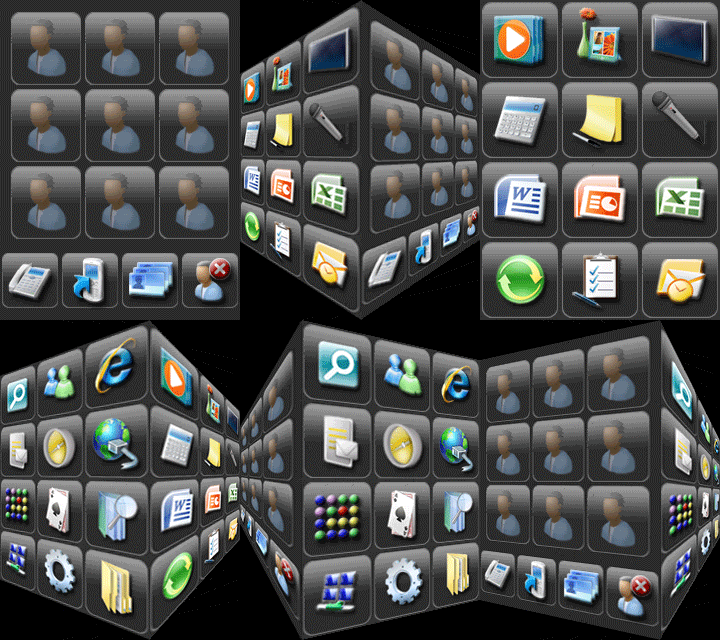 http://rapidshare.com/files/83564271...ation.zip.html This is a demo of the 3 sided cube fully configured with Blank animations. VistaCube2.0_Blank_Animations.cab 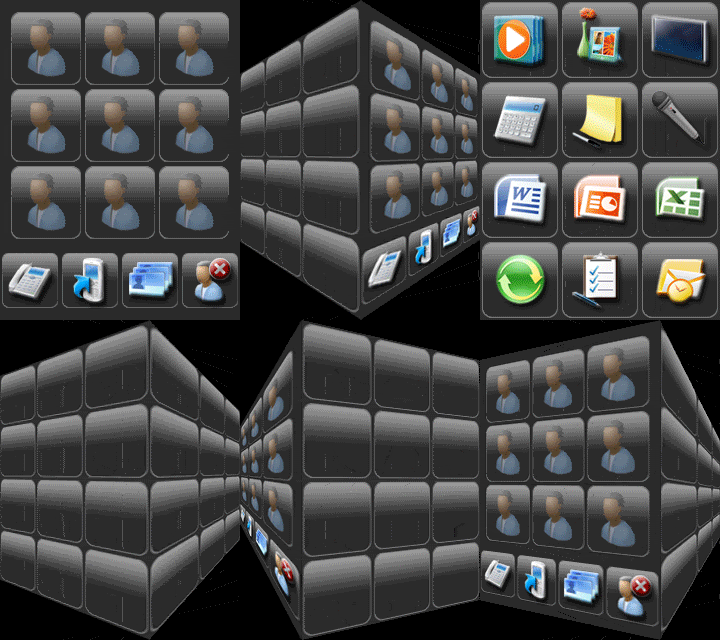 http://rapidshare.com/files/83564753...ation.zip.html This is a demo of the 4 sided cube partially configured with matching animations for the configured sides and blank animations for the 4th side. VistaCube2.0_4sides_Part_Animations.cab 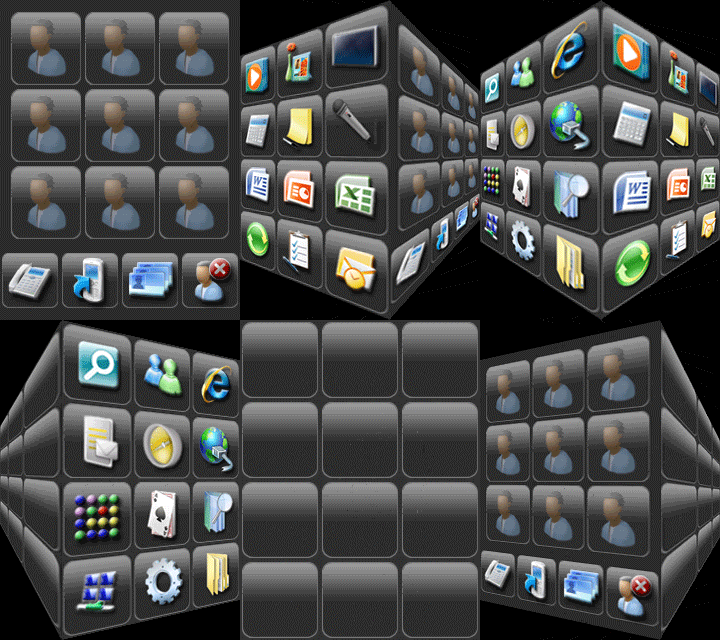 http://rapidshare.com/files/83565433...ation.zip.html This is a demo of the 4 sided cube partially configured with Blank animations. VistaCube2.0_4sides_Blank_Animations.cab 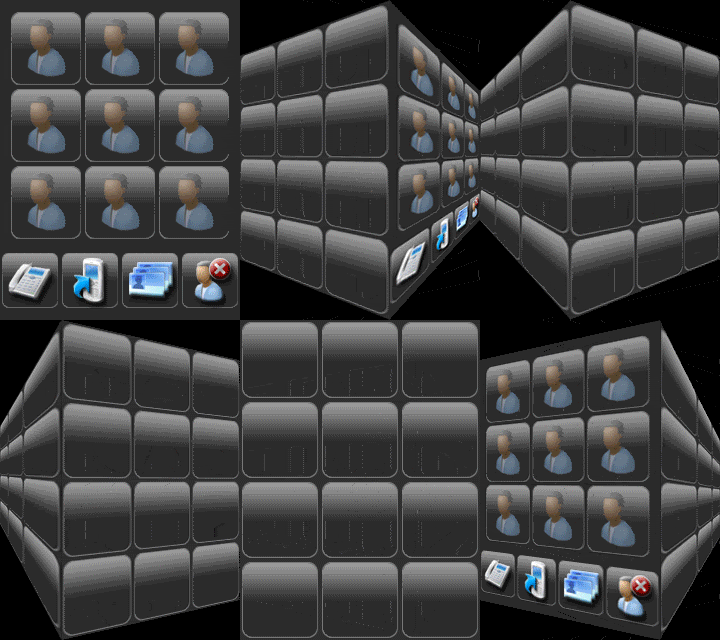 http://rapidshare.com/files/83566025...ation.zip.html Just download and unzip one of these attached files I provided, copy the CAB file to your Sprint Touch and run it. The Cab is uninstallable, so if you don't like, just uninstall. I'm using this post to provide information about the icons and registry entries for those who want to develop icons and configuration programs for the Vista Cube 2.0 The icons from the original cube that has 6 applications per side will NOT work on this cube setup. The dimensions of the icons are 80x80 and the icons backgrounds are the same no matter where they are on the cube side, so you will only need to create 2 images for each icon, the icon image and the icon pressed image. I have provided a Photoshop file with the effects and layers you will need to make icons for Vista Cube 2.0. I have also provided all my previous icons that I made in all the Vista Cube 2.0 installs. All my icons are installed into this directory. \Program Files\Vista Cube\Icons I named all my icons starting with Polen and adding -press to the name for the pressed image of the icon. I also provided the bmp of the icon for configuration programs. The registry entries for Vista Cube 2.0 are similar to my previous Vista Cube but with more apps per APLauncher. Here's an example of the registry entries for the 3 Sided cube HKLM\Software\HTC\Biotouch\APLauncher HKLM\Software\HTC\Biotouch\APLauncher2 Here's an example of the registry entries for the 4 Sided cube HKLM\Software\HTC\Biotouch\APLauncher HKLM\Software\HTC\Biotouch\APLauncher2 HKLM\Software\HTC\Biotouch\APLauncher3 Now, each APLauncher has 12 keys under them, each for an icon/application. HKLM\Software\HTC\Biotouch\APLauncher\App0 HKLM\Software\HTC\Biotouch\APLauncher\App1 HKLM\Software\HTC\Biotouch\APLauncher\App2 HKLM\Software\HTC\Biotouch\APLauncher\App3 HKLM\Software\HTC\Biotouch\APLauncher\App4 HKLM\Software\HTC\Biotouch\APLauncher\App5 HKLM\Software\HTC\Biotouch\APLauncher\App6 HKLM\Software\HTC\Biotouch\APLauncher\App7 HKLM\Software\HTC\Biotouch\APLauncher\App8 HKLM\Software\HTC\Biotouch\APLauncher\App9 HKLM\Software\HTC\Biotouch\APLauncher\App10 HKLM\Software\HTC\Biotouch\APLauncher\App11 Here's the location of each App key relative to the cube face. ----------------------- | App0 | App4 | App8 | ----------------------- | App1 | App5 | App9 | ----------------------- | App2 | App6 | App10 | ----------------------- | App3 | App7 | App11 | ----------------------- Here a little HowTo for help making changes yourself without a configuration tool. You will need to edit the registry of your device to make changes. I do not take any responsibility for you breaking the operation of your phone for any thing you do in the registry. I like to make all my changes from my desktop computer with CeRegEditor. Connect your device and have ActiveSync/Sync Center on your computer configured. After your device is connected to your computer, you select Connect in CeRegEditor from the Connections menu item, then you will want to open HKEY_LOCAL_MACHINE, then Software, then HTC, then Biotouch. Now you will see key names of APLauncher, APLauncher2 and if you installed the 4sided cube you will see APLauncher3. Under each of these keys you will see more keys named App0 through App11. Each App# is related to the icon of the APLauncher key you went into. Under the App# key you will see these values. Path - This is the path and exe to the application Name - ignore Param - Optional - Command line arguments for the application Height - ignore Width - ignore yPos - ignore xPos - ignore Type - ignore IconPath - This is the path to the image for the icon you see. IconPressPath - This is the path to the image for the icon when it is pressed on. http://rapidshare.com/files/83566228...ayers.zip.html Show Your Support
|
|||||||||||||||||||||||||

 About Supporter


 No support by the author.
| Comments |



|
#53
 03-04-2009, 08:03 PM
|
||||
|
||||
 Re: Vista Cube 20
“ Originally Posted by Kian
|



  |
| Tags |
| cube, vista |

«
Previous Thread
|
Next Thread
»
| Currently Active Users Viewing This Thread: 1 (0 members and 1 guests) | |
|
|

|
Similar Threads
|
||||
| Thread | Thread Starter | Forum | Replies | Last Post |
| Windows Vista Complete Cube Theme (cab) | DASH | HTC Touch Questions | 11 | 11-19-2009 12:06 PM |
| Vista Cube For Vogue Only With 6 Sides!!! | DASH | WM And PPC Applications | 26 | 04-04-2008 08:13 AM |
| HTC Touch AKA Vogue Custom Vista Cube CAB | DASH | WM And PPC Applications | 3 | 02-20-2008 12:57 AM |
| Complete Cube Customizing----a 4D cube????? | ninja_unmatched | HTC Touch Questions | 7 | 01-02-2008 03:12 PM |
All times are GMT -4. The time now is 10:38 PM.